
Backed up every day
A copy of the database is saved every day at a separate location.
Internet down on the busiest evening of Diwali? The counter keeps scanning and printing bills. When the connection is back, every bill goes to the server by itself.
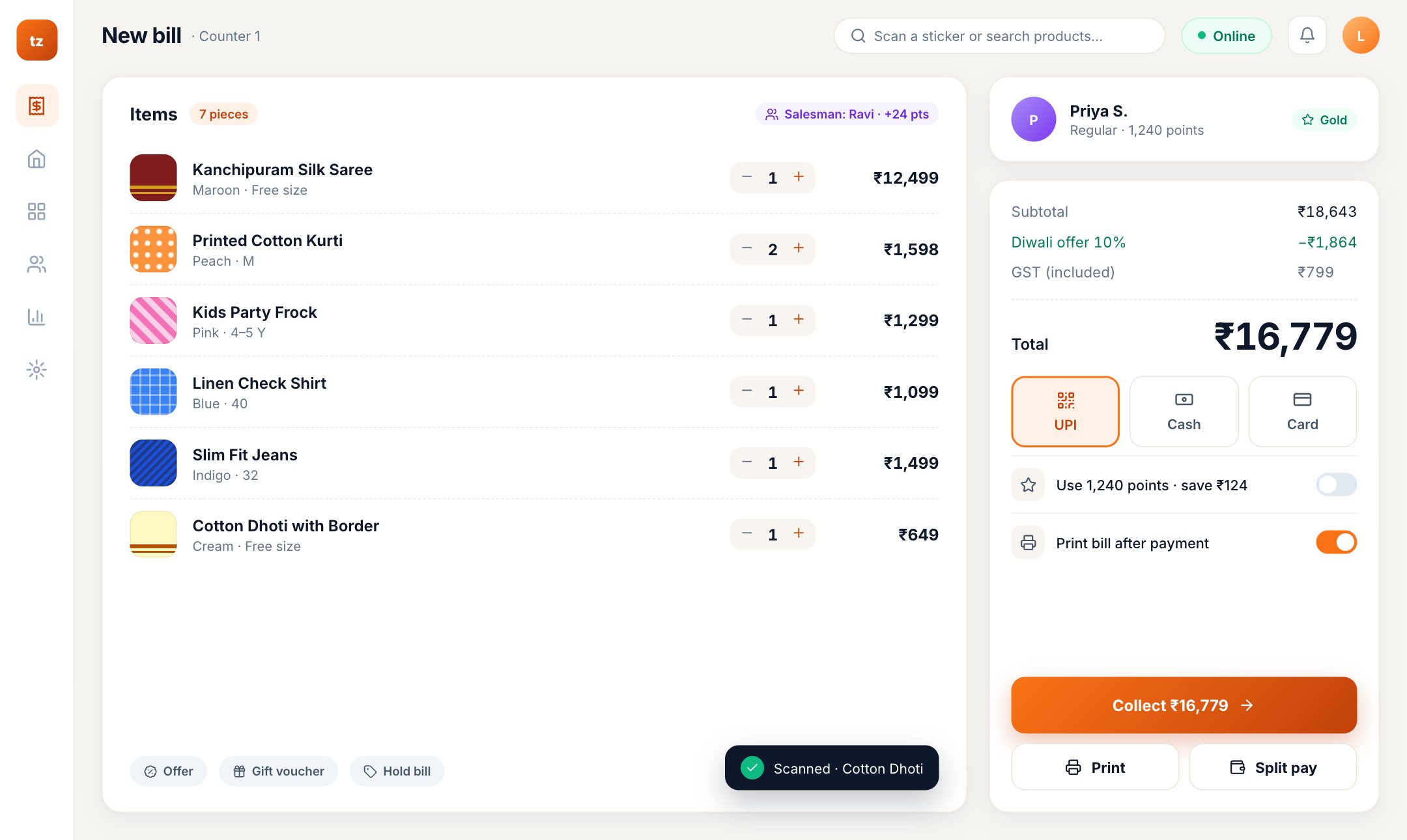
Scan, take payment and print as usual. The bills are saved safely on that counter.
The saved bills go to the server by themselves, in order.
Sales, stock and the owner's dashboard include every bill made offline.
Software that lives on one PC keeps everything on that PC: if the PC breaks, the shop's data goes with it. Software that only works online stops when the internet stops. Tizo POS is both: your data is in the cloud with a daily off-site backup, and the counter bills without the internet.
A copy of the database is saved every day at a separate location.
See today's sales from anywhere, as soon as the bills are sent.
The desktop app for Windows, Mac and Linux, the Android app, or a browser.
The owner sees which bills were made offline and by whom.
Open Tizo POS once while online on that counter (the desktop app, the Android app or the browser). After that it keeps billing when the internet stops.
No. The bills are saved on the counter and sent the next time it is online.
The plans that list offline billing on our pricing. The free trial includes it, so you can test it at your counter.
Start a free trial, or book a free demo and we'll show it at your shop.